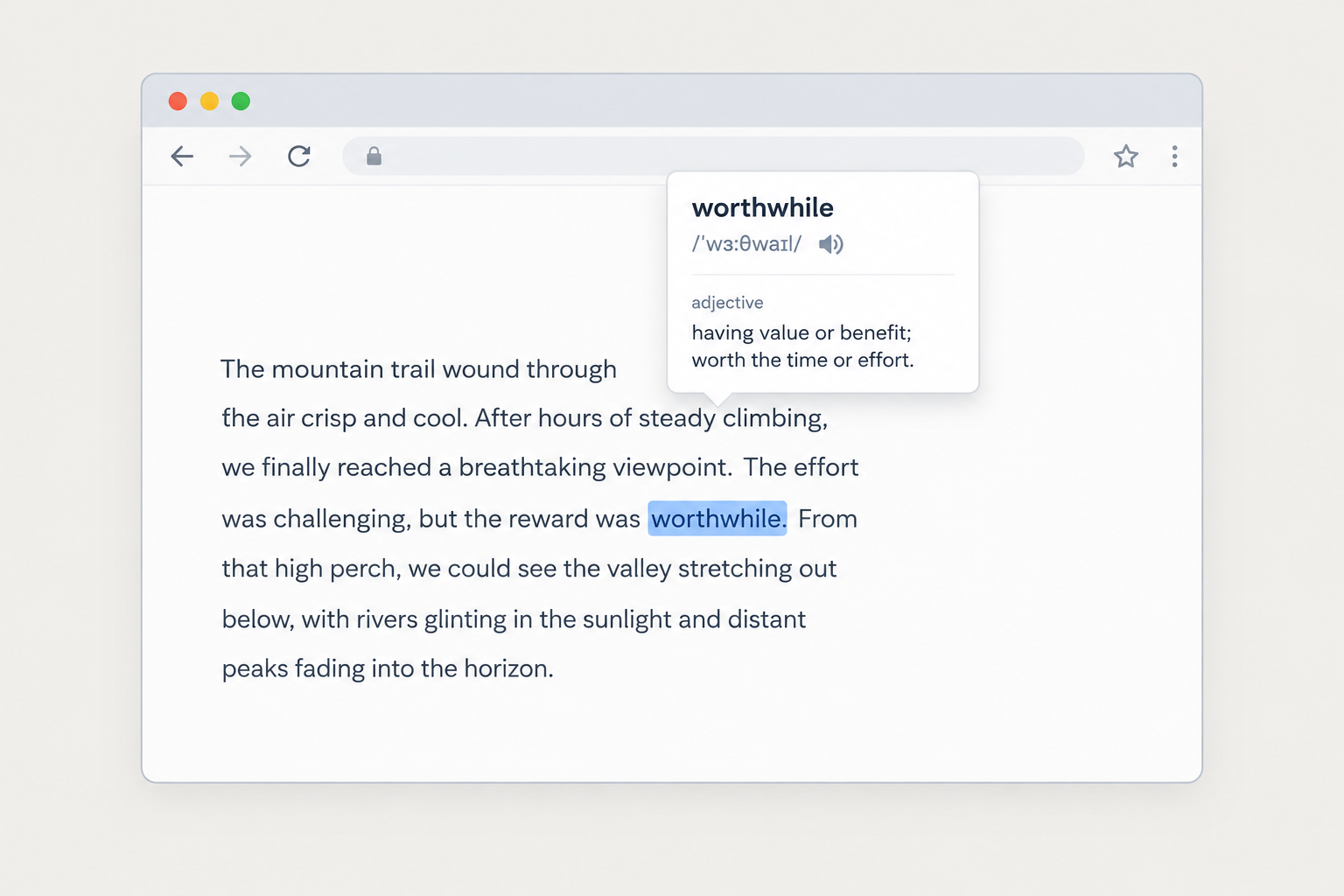
What “Select and Translate” was
The website version of “Select and Translate” was a free script that StarDict’s developers offered to site owners in the late 2000s and early 2010s. Site owners added a few lines of code to their pages. After that, when a visitor selected a word, a small window showed its translation, taken from the dictionaries on StarDict’s online service.
It was the web version of a feature the desktop program already had. StarDict on Windows and Linux can “scan” text you select in other applications and show the meaning in a floating window. The website script brought the same habit to ordinary web pages without needing the program installed.
| How to use “Select and Translate” in other web page? Bookmark the next link, or just drag it to your toolbar: StarDict Notice: You are guest user, you’d better login first, so this link will contain your user info and you can use your custom dictionaries by it. Then open any web page, and click the StarDict link on your toolbar. |
How site owners added it (historical)
The steps below record how the feature used to be set up. The script was loaded from StarDict’s old online service domain, which no longer serves it. These instructions no longer work, and they are kept only as a record.
| How “Select and Translate” was added to a website (history) |
|---|
| Site owners pasted two short script blocks into their pages. The first loaded a file called stardict.js from StarDict’s old online service. The second ran the function dictInit(); to start the feature. Registered users could add the variables “dict_username” and “dict_md5passwd” to the script so their own custom dictionaries were used. |
| Translation on/off switch: to give visitors a control for turning translation on or off, owners placed an empty element, , wherever they wanted the switch to appear. |
| To keep “Select and Translate” switched off by default, owners added dict_enable=false; before dictInit();. |
Don’t copy this old snippet into a site today. A script loaded from a domain you don’t control can be changed at any time, and an expired or re-registered domain could serve harmful code to every visitor. The md5 password variable also sat in the page’s source code, where anyone could read it. That was weak protection even at the time.
What StarDict is today
StarDict is a free, open-source dictionary program released under the GNU General Public License. Hu Zheng developed it as the successor to an earlier program, StarDic, by Ma Su’an. Wikipedia lists the latest stable release as 3.0.7.1, dated 2 October 2023. The project’s GitCode repositories also contain source code numbered 4.0.0.
The project’s own site on SourceForge names Hu Zheng as project leader and asks for a “next-generation” leader to take over. Development has moved between hosts over the years: SourceForge, then Google Code, then SourceForge again, and now GitHub and GitCode. Linux users usually get the program from their distribution’s package manager, for example Debian’s stardict-gtk package.
The program is only a shell. It contains no dictionaries of its own, so you add dictionary files to it. That is where people need to be careful. Many StarDict-format files that circulated online in the past were unlicensed copies of commercial dictionaries. The project itself ran into copyright complaints because of this. Stick to dictionaries whose licence you can check, such as open projects or publishers that allow offline use.
The StarDict dictionary format
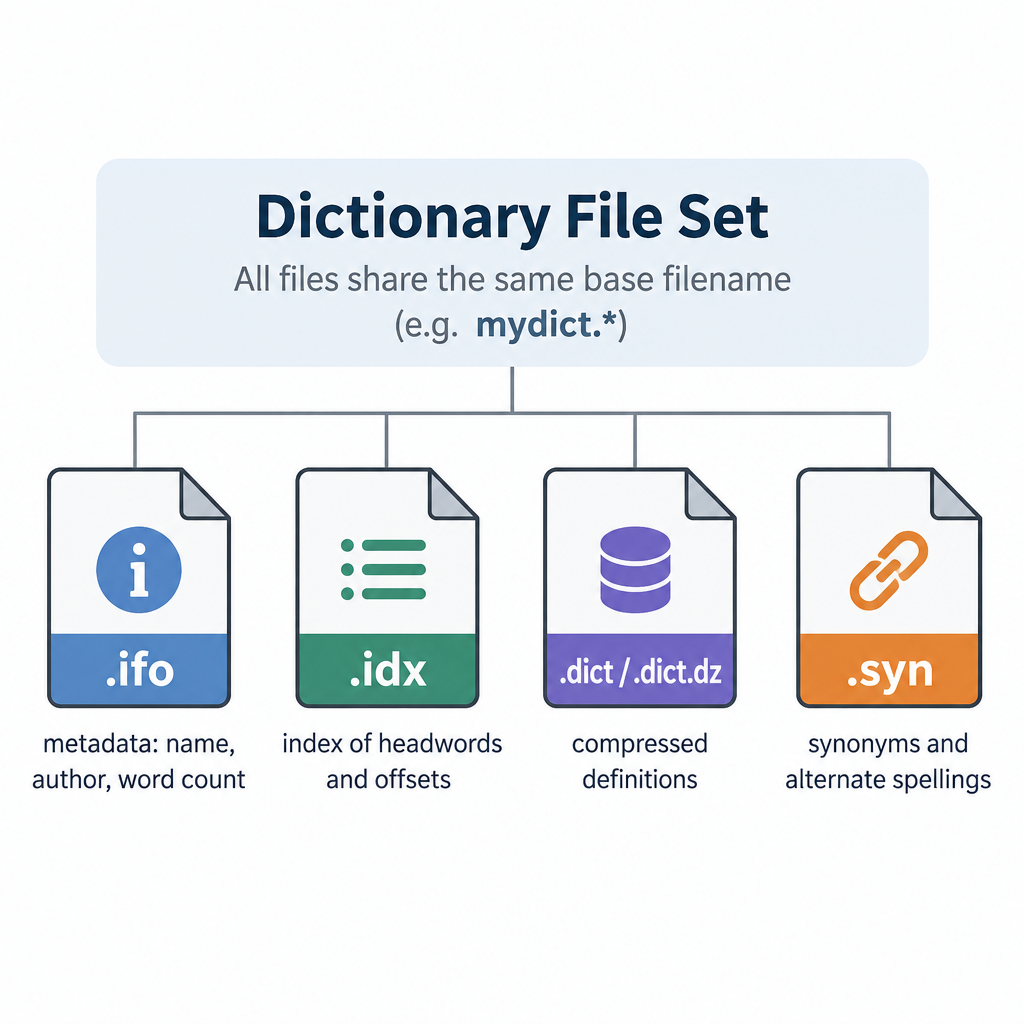
A StarDict dictionary is a small set of files that share one base name:
- An.ifo file holds plain-text information: the dictionary’s name, author, word count and version.
- An.idx file is the index. It lists the headwords and where each entry is stored.
- A.dict file holds the definitions. It is often compressed with dictzip as.dict.dz.
- An optional.syn file lists synonyms or alternative spellings that point to existing entries.
The format is documented in the StarDict source code, in a file called StarDictFileFormat. Because the format is open and simple, many other programs can read it. GoldenDict-ng’s documentation lists StarDict (.ifo,.idx,.dict,.syn) next to MDict (.mdx,.mdd) as supported local formats. Conversion tools such as PyGlossary can move dictionaries between formats.
Select-to-translate options today
Three kinds of tools now do what “Select and Translate” did:
| Option | How it works | Good for |
|---|---|---|
| StarDict desktop program | Scans text you select in other apps and shows a pop-up | Linux and Windows users with licensed StarDict-format dictionaries |
| GoldenDict-ng | A “scan popup” translates highlighted text in any application; reads StarDict, MDict and other formats | Users who combine several offline dictionaries with online sources |
| jstardict (Firefox add-on by gholk) | Shows a button when you select text on a web page and looks it up offline in StarDict files you load yourself; built on Thomas Vogt’s stardict.js library | Lookups inside the browser without sending words to a server |
| Online dictionaries (Merriam-Webster, Oxford, Cambridge) | Look up the word on the publisher’s own site | Checked, licensed definitions, pronunciations and example sentences |
For site owners, the modern equivalent is to host any lookup script on your own server and use dictionary data with a clear licence. Embedding third-party code is the risky part. Each desktop program’s Help pages explain how to switch its pop-up on and off and how to choose which dictionaries it searches.
FAQ
Does StarDict “Select and Translate” still work on websites?
No. The website script depended on StarDict’s online service, and that service no longer provides it. Pages that still include the old code get nothing from it. Remove the code, because a script from an outside domain is a security risk.
Is Star Dictionary the official StarDict website?
No. Star Dictionary is an independent reference for word meanings, origins, idioms and translations, under ownership unrelated to the StarDict software. Official information about the program comes from its developers, through the project’s SourceForge site and its GitHub and GitCode repositories.
Can StarDict still translate text selected in other programs?
Yes. The desktop program has a scan feature that shows a pop-up for text you select in other applications. GoldenDict-ng offers a similar “scan popup” and can read the same StarDict dictionary files.
Which programs open StarDict dictionary files?
StarDict itself, GoldenDict-ng and the command-line tool sdcv all read the.ifo,.idx and.dict file set. In the browser, the jstardict add-on for Firefox can load StarDict files for offline lookups.
Are StarDict dictionary files legal to use?
The format is open, but each dictionary has its own licence. Some files shared online in the past were copies of commercial dictionaries made without permission. Use dictionaries released under an open licence or ones the publisher allows for personal offline use.
Where can I find reliable definitions without installing anything?
Established online dictionaries such as Merriam-Webster, Oxford Learner’s Dictionaries and the Cambridge Dictionary give edited definitions, pronunciations and example sentences for free on their own websites. They are the safest choice when accuracy matters.
Sources
- StarDict project site, SourceForge (stardict-4.sourceforge.net)
- StarDict source repositories on GitCode (huzheng_001)
- Wikipedia: StarDict
- GoldenDict-ng documentation: dictionary formats
- Mozilla Add-ons: jstardict by gholk
- Debian manpages: stardict (stardict-gtk)
About this article
- Fact-checked before publication.
- Published · Updated